
Il existe de nombreuses manières de découvrir et d’apprendre Linux, mais parfois, il peut être difficile de savoir par où commencer. Cet article vise à fournir aux débutants en Linux une introduction aux commandes de base de ce système d’exploitation. En suivant les étapes décrites dans cet article, vous serez en mesure de naviguer et d’utiliser Linux avec une plus grande aisance.
Qu’est-ce que Linux ?
Linux est un système d’exploitation open source développé par Linus Torvalds. Il est disponible sous différentes formes et est compatible avec les ordinateurs personnels, les serveurs et les appareils mobiles. Linux peut être installé sur une machine à partir d’un support de stockage tel qu’un DVD ou une clé USB. Il existe de nombreuses distributions Linux, chacune ayant ses propres fonctionnalités et caractéristiques.
Linux est un système d’exploitation multitâche, ce qui signifie qu’il peut exécuter plusieurs programmes en même temps. Il est également un système d’exploitation multiusager, ce qui signifie que plusieurs utilisateurs peuvent accéder au système en même temps et y exécuter des programmes. Linux offre une excellente sécurité et fiabilité et est souvent utilisé dans les environnements professionnels.
Linux dispose d’un shell, qui est un programme qui permet aux utilisateurs de communiquer avec le système d’exploitation. Le shell est l’interpréteur de commandes, ce qui signifie qu’il prend une commande en entrée et l’exécute. Les shells les plus courants sont Bash, Zsh et Fish.
Pour exécuter une commande, il suffit de la taper au prompt puis de appuyer sur Entrée. Les commandes Linux peuvent être composées de plusieurs mots, chacun ayant une fonction spécifique. Les commandes peuvent également être combinées pour effectuer une tâche plus complexe. Par exemple, la commande ls -l permet de lister le contenu d’un répertoire en affichant les détails de chaque fichier.
Linux dispose également d’une riche collection de logiciels open source. Ces logiciels peuvent être installés à partir des dépôts officiels de votre distribution Linux ou directement à partir du site Web du projet. Les logiciels open source sont généralement gratuits et disposent souvent de documentation détaillée.
Les commandes Linux les plus importantes à connaître sont celles qui vous permettront de naviguer dans le système de fichiers, de manipuler des fichiers et de répertoires, d’exécuter des programmes et de gérer les processus. En apprendre plus sur ces commandes vous aidera à mieux comprendre comment Linux fonctionne et vous permettra d’effectuer des tâches plus complexes avec moins de difficultés.
Comment fonctionne Linux ?
Linux est un système d’exploitation libre et open source, qui peut être installé sur une grande variété de matériel. Il est souvent utilisé par les développeurs et les administrateurs système, car il est facile à utiliser et très configurable. Linux peut également être utilisé comme système d’exploitation principal sur un ordinateur personnel.
Il est construit à partir du noyau Linux, qui a été créé par Linus Torvalds. Le noyau Linux est entouré de logiciels libres et open source, qui fournissent les fonctionnalités nécessaires pour faire fonctionner le système. Ces logiciels sont généralement distribués sous la forme de paquets, qui peuvent être installés sur le système à l’aide du gestionnaire de paquets.
C’est un système d’exploitation très puissant, mais il peut être difficile à utiliser pour les débutants. Cet article présente quelques-unes des commandes Linux les plus importantes à connaître lorsque vous commencez à l’utiliser. Ces commandes vous permettront de naviguer dans le système, de gérer les fichiers et de configurer le système.
La première commande à connaître est la commande ls. La commande ls permet de lister les fichiers et les dossiers dans le répertoire courant. Par exemple, si vous êtes dans le répertoire /home/user/Documents, la commande ls affichera tous les fichiers et dossiers dans ce répertoire. Vous pouvez également utiliser la commande ls pour afficher des informations supplémentaires sur les fichiers et les dossiers, comme leur taille et leur type.
La commande cd est utilisée pour se déplacer dans les différents répertoires du système. Par exemple, si vous voulez vous déplacer du répertoire /home/user/Documents au répertoire /home/user/Pictures, vous pouvez utiliser la commande cd comme suit : cd /home/user/Pictures. Vous pouvez également utiliser la commande cd .. pour vous déplacer au répertoire parent du répertoire courant.
La commande mkdir permet de créer un nouveau dossier dans le répertoire courant. Par exemple, si vous voulez créer un dossier nommé images dans le répertoire /home/user/Documents, vous pouvez utiliser la commande mkdir comme suit : mkdir /home/user/Documents/images.
La commande cp permet de copier des fichiers et des dossiers d’un emplacement à un autre. Par exemple, si vous voulez copier le fichier image1.jpg du répertoire /home/user/Documents vers le répertoire /home/user/Pictures, vous pouvez utiliser la commande cp comme suit : cp /home/user/Documents/image1.jpg /home/user/Pictures/.
La commande mv permet de déplacer des fichiers et des dossiers d’un emplacement à un autre. Par exemple, si vous voulez déplacer le dossier images du répertoire /home/user/Documents vers le répertoire /home/user/Pictures, vous pouvez utiliser la commande mv comme suit :
La distribution Linux
Linux est un système d’exploitation très puissant et flexible, mais peut parfois sembler un peu intimidant pour les nouveaux utilisateurs. Cependant, une fois que vous avez maîtrisé les bases de la ligne de commande, vous serez en mesure de faire beaucoup de choses avec votre système Linux.
Avant de plonger dans les commandes Linux les plus importantes, il est important de comprendre comment fonctionne la ligne de commande. La plupart des systèmes d’exploitation, y compris Windows et macOS, ont une interface graphique qui vous permet d’interagir avec votre ordinateur en utilisant des fenêtres, des boutons et des menus. Linux a également une interface graphique, mais il est également possible d’utiliser votre ordinateur en ligne de commande.
La ligne de commande est un moyen de communiquer directement avec votre ordinateur en tapant des commandes pour lui dire ce que vous voulez qu’il fasse. Cela peut sembler un peu ancien et dépassé, mais la ligne de commande est en fait très puissante et peut vous faire gagner beaucoup de temps une fois que vous avez maîtrisé les bases.
Pour ouvrir la ligne de commande sur votre ordinateur Linux, il suffit d’ouvrir le terminal. Vous pouvez le trouver dans le menu des applications ou en recherchant terminal dans la barre de recherche. Une fois que vous avez ouvert le terminal, vous verrez quelque chose comme ceci :
user@hostname:~$
La partie user@hostname est appelée prompte et indique à quel utilisateur et sur quel hôte vous êtes connecté. Le ~ (tilde) indique votre dossier personnel. La $ (dollar) est le symbole du shell Bash par défaut sur Linux et indique que vous êtes un utilisateur non privilégié. Si vous êtes connecté en tant qu’utilisateur root (l’utilisateur privilégié par défaut sur Linux), le shell Bash affichera # au lieu de $ .
Pour entrer une commande, il suffit de taper la commande que vous souhaitez exécuter et appuyez sur Entrée . Par exemple, pour afficher la date et l’heure actuelles, tapez la date et appuyez sur Entrée . Votre ordinateur affichera alors la date et l’heure actuelles :
user@hostname:~$ date mar 3 avril 2017 12:26:01 CEST user@hostname:~$
Vous pouvez également exécuter plusieurs commandes à la suite en les séparant par un point-virgule ( ; ). Par exemple, pour afficher la date et votre historique des commandes, vous pouvez taper date ; history . Votre ordinateur affichera alors la date actuelle suivie de votre historique des commandes :
user@hostname:~$ date ; history mar 3 avril 2017 12:40:39 CEST 1 date 2 history user@hostname:~$
Maintenant que vous savez comment fonctionne la ligne de commande, passons aux commandes Linux les plus importantes à connaître.
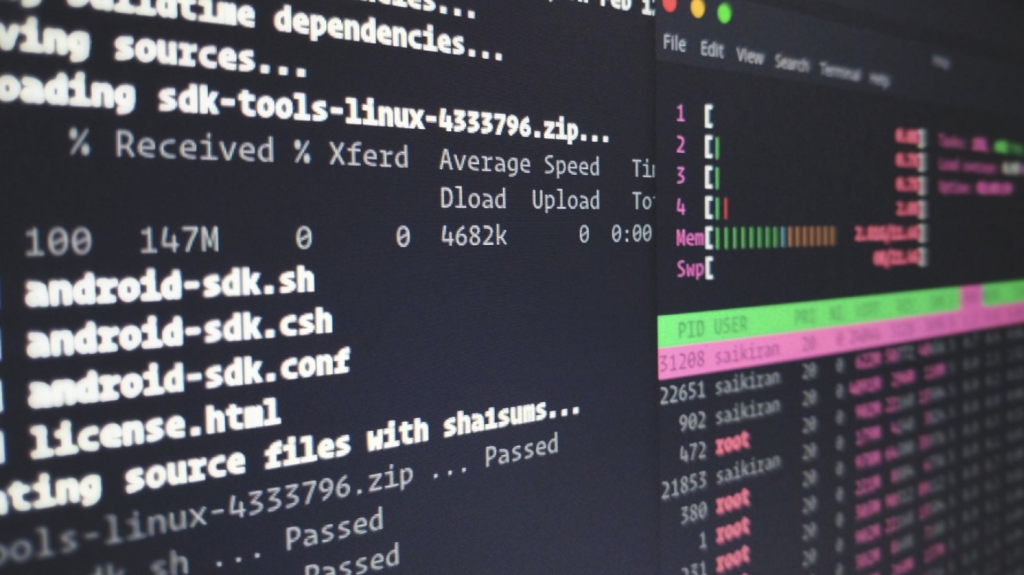
Nous allons vous montrer les 9 commandes Linux les plus importantes à connaître.
1. ls
La première commande à apprendre est ls . ls est utilisé pour lister les fichiers et les dossiers dans un dossier. Par exemple, si vous voulez voir tous les fichiers dans le dossier /etc , vous pouvez utiliser la commande ls comme ceci :
ls /etc
2. cd
La deuxième commande à apprendre est cd . cd est utilisé pour se déplacer dans les différents dossiers du système de fichiers. Par exemple, si vous voulez vous déplacer du dossier /etc au dossier /home/user , vous pouvez utiliser la commande cd comme ceci :
cd /home/user
3. mkdir
La troisième commande à apprendre est mkdir . mkdir est utilisé pour créer de nouveaux dossiers. Par exemple, si vous voulez créer un nouveau dossier appelé test dans le dossier /tmp , vous pouvez utiliser la commande mkdir comme ceci :
mkdir /tmp/test
4. cp
La quatrième commande à apprendre est cp . cp est utilisé pour copier des fichiers et des dossiers. Par exemple, si vous voulez copier le fichier test.txt du dossier /tmp au dossier /home/user , vous pouvez utiliser la commande cp comme ceci :
cp /tmp/test.txt /home/user/test.txt
5. mv
La cinquième commande à apprendre est mv . mv est utilisé pour déplacer ou renommer des fichiers et des dossiers. Par exemple, si vous voulez renommer le fichier test.txt en test2.txt dans le dossier /tmp , vous pouvez utiliser la commande mv comme ceci :
mv /tmp/test.txt /tmp/test2.txt
6. rm
La sixième commande à apprendre est rm . rm est utilisé pour supprimer des fichiers et des dossiers. Par exemple, si vous voulez supprimer le fichier test2.txt du dossier /tmp , vous pouvez utiliser la commande rm comme ceci :
rm /tmp/test2.txt
7 chmod
La septième commande à apprendre chmod permet de modifier les permissions des fichiers et dossiers
8 nano
La huitième commanda à apprendre ouvre un ficher avec l’editeur nano ex: nano monfichier
9 apt-get
La neuvieme commanda est un outil en ligne de commande pour interagir avec la bibliothèque Advanced Package Tool (APT) (un système de gestion de paquets pour les distributions Linux). Il vous permet de rechercher, installer, gérer, mettre à jour et supprimer des logiciels. L’outil ne construit pas de logiciels à partir du code source.
Utiliser les commandes Linux
Les commandes Linux les plus importantes à connaitre
Avec Linux, il existe une multitude de commandes que vous pouvez utiliser. Cependant, certaines d’entre elles sont plus importantes que d’autres et méritent d’être connues. Dans cet article, nous allons vous présenter les commandes Linux les plus importantes à connaître pour bien débuter.
Tout d’abord, la commande « ls » permet de lister le contenu d’un dossier. En tapant « ls -l », vous aurez plus de détails sur chaque fichier et dossier présents dans le dossier en question.
La commande « cd », quant à elle, permet de se déplacer dans les différents dossiers de votre système. Par exemple, si vous voulez vous rendre dans le dossier « Documents », vous tapez « cd Documents ».
La commande « cp » permet de copier un fichier ou un dossier. Par exemple, si vous voulez copier le fichier « test.txt » dans le dossier « Documents », vous tapez « cp test.txt Documents ».
La commande « mv » permet de déplacer un fichier ou un dossier. Elle peut aussi servir à renommer un fichier ou un dossier. Par exemple, si vous voulez déplacer le fichier « test.txt » dans le dossier « Documents », vous tapez « mv test.txt Documents ». Si vous voulez renommer le fichier « test.txt » en « test2.txt », vous tapez « mv test.txt test2.txt ».
La commande « rm » permet de supprimer un fichier ou un dossier. Attention, cette commande est irréversible ! Par exemple, pour supprimer le fichier « test2.txt », vous tapez « rm test2.txt ».
Enfin, la commande « clear » permet de nettoyer l’écran de votre terminal.
Voilà pour les commandes Linux les plus importantes à connaître ! Avec ces quelques commandes, vous êtes déjà bien outillés pour débuter sous Linux !
Il existe de nombreuses commandes Linux, mais certaines sont plus importantes que d’autres, surtout pour les débutants. Ce guide pas à pas vous montrera les commandes les plus importantes à connaître sous Linux, afin que vous puissiez bien débuter.

 Certains utilisateurs de Kali Linux peuvent classer Wireshark comme le meilleur outil de test de pénétration Wi-Fi. Wireshark est le premier analyseur de protocole réseau au monde. Il vous permet de voir ce qui se passe sur votre réseau à un niveau microscopique. C’est la norme de pénétration dans de nombreuses industries et établissements d’enseignement. Wireshark est l’un des meilleurs outils d’analyse de réseau [protocole] disponible, sinon le meilleur.

 Si les plates-formes d’hébergement Web Windows et Linux offrent sensiblement les mêmes résultats, est-ce vraiment important de savoir quelle plate-forme est la meilleure ici ? Dans certaines circonstances, vous aurez de meilleurs résultats avec l’une et dans d’autres avec l’autre.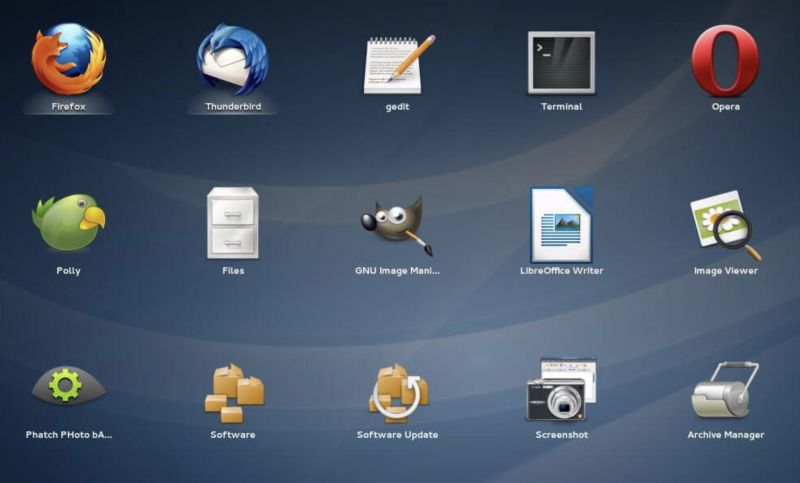
 Si l’on considère les nouvelles dans un sens strict et étroit, l’action de Google semble n’être guère plus qu’un “rebranding” avec un nom plus clair et plus descriptif. C’est une décision assez raisonnable, a suggéré Alex Gounares, PDG de Polyverse.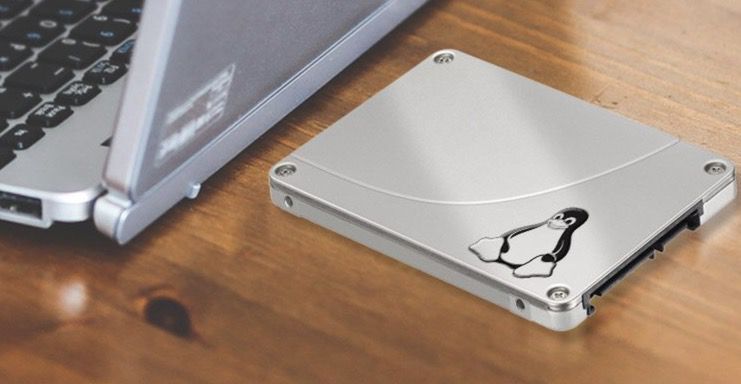
 Chaque fois que vous démarrez votre système Linux, il doit monter les différents lecteurs dans votre ordinateur afin de les utiliser. Il existe différentes options de montage que vous pouvez utiliser, en fonction de votre matériel et de vos besoins, et certaines sont appropriées à utiliser avec les SSD.